
Synonym checker on Microsoft Programmes

Synonym checker word

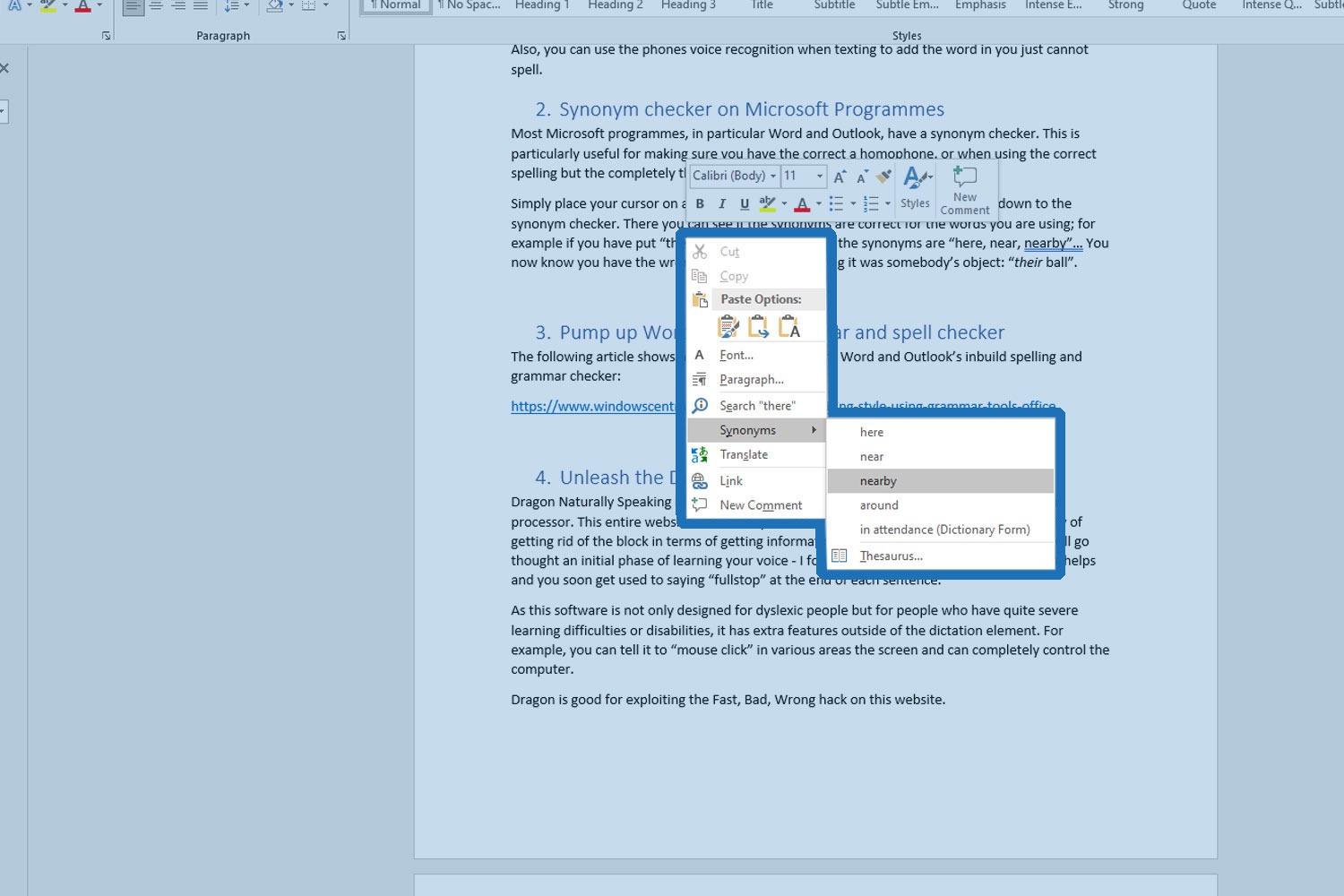
Most Microsoft programmes, in particular Word and Outlook, have a synonym checker. This is particularly useful for making sure you have the correct homophone, or when using the correct spelling but the completely wrong word than the one you intended.

Simply place your cursor on a word and with the right mouse click you can scroll down to the synonym checker. There you can see if the synonyms are correct for the words you are using; for example if you have put “there” in your sentence and the synonyms are “here, near, nearby”… You now know you have the wrong word if you were saying it was somebody’s object: “their ball”.


Like this hack?

You might also enjoy

Episode 86 – Mental Fitness and Digital Detox With Neil Jones

In this podcast episode, host Matthew Head chats with Neil Jones, a Mental Health and Fitness coach from Lincoln, UK. With a diverse career, including time spent living in Switzerland, Neil has honed his expertise in mental fitness—proactively maintaining mental health to prevent issues before they arise. Recently, Neil has been helping people undergo digital detoxes, breaking their dependency on smart devices. He also shares his experience with dyslexia, the bullying he endured, and how Judo and meditation became his coping mechanisms. Now, as a Psychologist and Chartered HR professional, Neil assists companies in improving their employees’ mental health and overall productivity. This episode is a must-listen for insights on mental fitness and digital detoxing.